
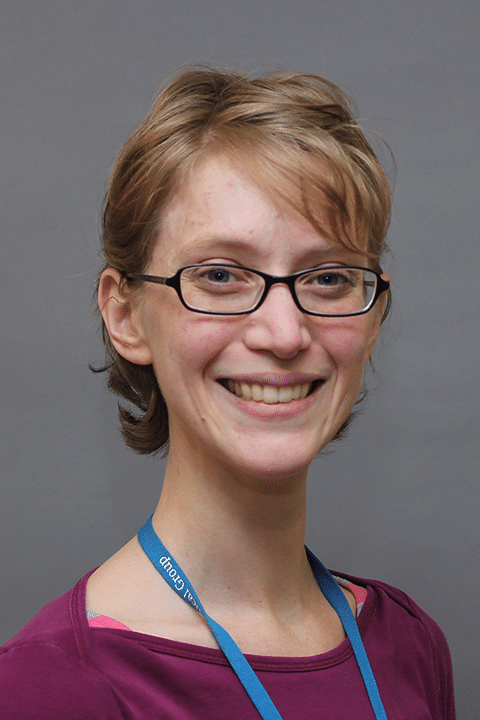
A graduate of UMass Amherst and Simmons College, Catherine was inspired to become a Physical Therapist after she saw how much her mother’s physical therapy helped her return to full function after she was ill. Catherine enjoys the challenge of figuring out what is causing problems for a patient and then helping them recover their abilities. “Seeing people make progress, experience pain relief and get back to the activities they love to do makes my job satisfying to me,” she explains. Helping patients help themselves is her main goal, put into practice by exercise, manual therapy, and home techniques to alleviate symptoms. In many ways, Catherine likes to think of herself as an educator who can help patients learn strategies to improve their quality of life. She has a particular interest in working with the aging population and providing treatments and strategies for patients with Parkinson’s disease. Catherine has specialized training in Graston Technique.

Become a patient
Registration specialists are available by phone Monday through Friday, 7:30 AM to 6:00 PM, by calling (508) 425-5857. If it's outside of business hours, or you'd prefer a Reliant team member to contact you, fill out the form below and a registration specialist will call you to complete the registration process. We look forward to caring for you and your family!
Follow these simple steps to register with this doctor and book your first physical!
How to Save as a PDF
To print a PDF of this page, start by clicking the print button in your browser or using CTRL/Command-P to open the print dialog.
Chrome: Click the "Change" button in the destination settings area. Select "Save as PDF" in the location destinations section. Afterwards, click the "Save" button.
Firefox: If you have Adobe Reader or Acrobat installed, select "Adobe PDF" as the printer name. If not, install Save as PDF and follow its instructions.
Internet Explorer: If you have Adobe Reader or Acrobat installed, select "Adobe PDF" as the printer name. If for some reason this does not work, you can use Web2PDF and follow its instructions.
Safari: Simply select "Save Page as PDF" and continue. If for some reason this does not work, you may install Nitro PDF.