
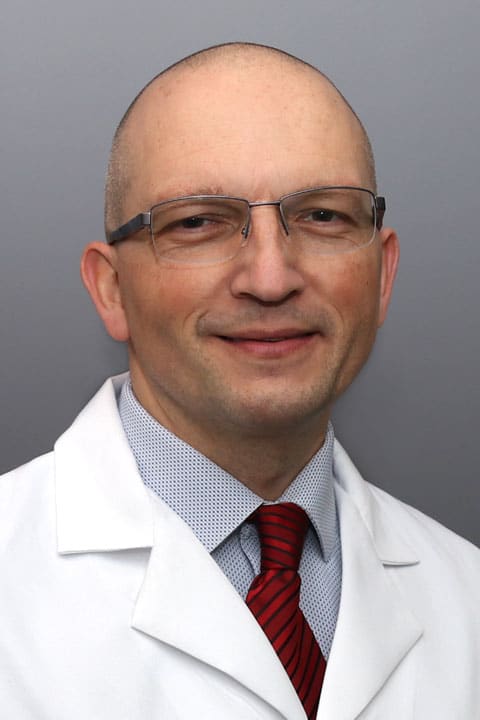
Thank you for viewing my profile. I care for Reliant patients in the hospital.
“It’s very stimulating to work in this environment.”
Growing up in Romania, Dr. Claudiu Salvan knew at an early age that he wanted to be a doctor. “My mother was a midwife and my brother a psychiatrist. This instilled in me a desire to continue on the same line of helping others, and becoming a physician.”
Dr. Salvan joined Reliant Medical Group in 2008 as a Hospital Based Internist practicing at Saint Vincent Hospital in Worcester. “One thing that was obvious very early in my career at Reliant was the team spirit in our Hospitalist Group,” he explains. “There is a feeling that we are all working together and helping each other to improve the health and outcomes of our hospitalized patients, and to try to do what’s best for them.”
Working with our acutely ill patients, Dr. Salvan encounters a wide range of medical conditions, from uncomplicated medical issues to critically ill ones that might require ICU level of care. “Working together, alongside other members of the healthcare team and our specialists, and seeing these patients improve, is very rewarding. It’s stimulating work in this environment because you have different challenges every day, that keep you constantly thinking about the best way to help your complex patients during some of the worst times in their lives.”
When it comes to treating his patients, Dr. Salvan is a big believer in the importance of listening. “I think medicine really comes down to listening to the patient, and that human-to-human connection,” he explains. “Involving the patient’s close family members is also important, and improves the patient’s understanding about their diagnosis, management and treatment plans.” Dr. Salvan also takes a special interest in Palliative and End-of-Life Care. “We see many critically ill patients in the hospital, and sometimes the best course of treatment for some of them might not be more aggressive interventions. Spending the time needed with these patients and their families and communicating clearly about options usually leads to better individualized care for them.”
Dr. Salvan enjoys teaching the medical residents and students as well as advance practitioner students at Saint Vincent Hospital. “It’s a privilege to be in a position to train young minds in the practice of medicine. Helping them figure out what each patient needs, what the problems are, and what the best course of action for each of them is adds meaning to my day, and improves even if for a little bit the uncertain future of our complex healthcare system.”
Dr. Salvan balances his work with time spent with his family, cooking, gardening, hiking, and traveling, as well as listening to jazz and working on his very beginner yoga practice.
Offices and Locations
Worcester Medical Center
Phone number: 1 (508) 852-0600
Address: 123 Summer Street, Worcester, MA, 01608
Overview
Specialties
Hospital Medicine
Clinical Interests
Hospice & Palliative Medicine
Certifications
American Board of Internal Medicine, American Board of Internal Medicine - Hospice and Palliative Medicine
Education
Medical School: Iuliu Hatieganu University of Medicine & Pharmacy
Internship & Residency: Worcester Medical Center
Languages Spoken
English
Insurance
Related News and Articles