I care for patients in the Home-Based Primary Care program
Call Patient Registration
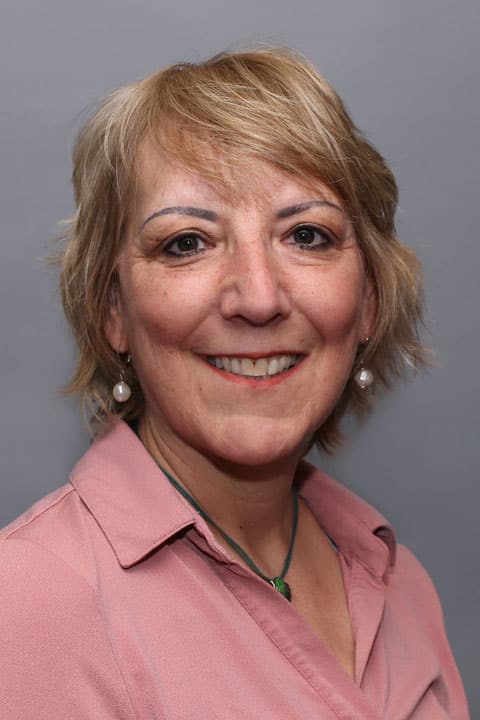
A graduate of the University of Hawaii, Karen has been an RN since 1993 and became a nurse practitioner in 2003. Karen enjoys working in Geriatrics and managing the complex medical needs of her patients. She is a caregiver in the Home Run program, which provides care to the elderly inside their homes.
Karen enjoys building strong relationships with her patients. “I try to build a relationship of mutual trust and help the patient to achieve a strategy for improving or managing their chronic or acute health issues,” she explains. “I also enjoy being able to spend time educating patients and family members about their medications and reinforcing what they should expect from the treatment plan. I also assist patients and families with Advanced Directives and end-of-life discussions.”
In her spare time Karen enjoys hikes with her friends as well as her son and her two dogs. One of her biggest adventures was solo-hiking the El Camino trail in Spain. Karen also enjoys kayaking and bicycling along the rail trail. She also likes fitness competitions and recently completed a one-half triathlon.
Offices and Locations
Worcester – Grove Street
Phone number: 1 (508) 425-5694
Address: 385 Grove Street, Worcester, MA, 01605
Overview
Specialties
Geriatrics
Internal Medicine
Clinical Interests
Hospice Care
Palliative Care
Certifications
ANCC- Adult Nurse Practitioner
Education
Master of Public Health: University of Hawaii
Master of Science in Nursing: UMass Medical School
Insurance
Related News and Articles