Sorry, I'm not currently accepting new patients. Click here to browse a list of doctors who are!
Are you already a patient of this provider?
You can book your annual physical and routine appointments online through MyChart!
Sign up or
log in now.
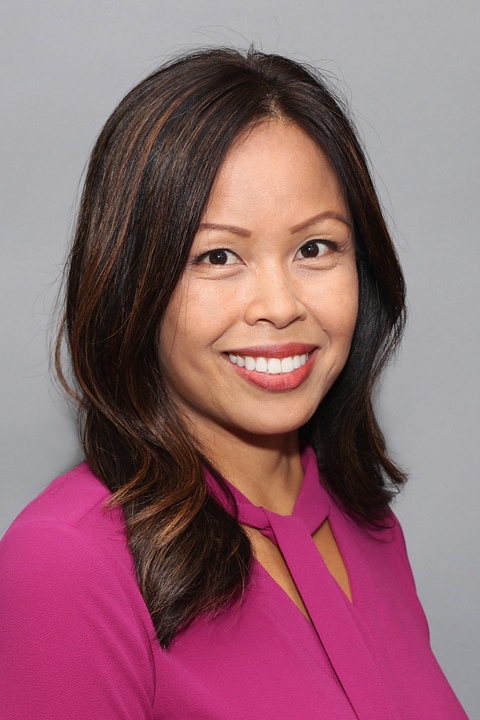
A graduate of Columbus State University and California State University, Dominguez Hills, Joan worked as a critical care nurse for 12 years before deciding to become an advanced practitioner. “As a critical care nurse, I saw chronic conditions that were uncontrolled and really impacted patients and their families,” she explains. “In becoming an advanced practitioner, I wanted to play a bigger role in education and prevention, as well as advocate for patients and encourage them to take a more active role in their health.” As a nurse practitioner at Reliant, Joan enjoys providing continuity of care and following patients as they improve their health. “Working as part of a care team in Internal Medicine, it’s very exciting when you can make a difference and have a positive impact on a patient’s health. It’s also been a great learning experience for me.”
In her work at Reliant, Joan believes in not only treating conditions, but also viewing the patient holistically. “I enjoy getting to know my patients and their families and building trust, she explains. “I work hard to provide ethical and empathetic care each day. I also believe in collaborating with other care providers to remind patients that, together, we are committed to a common goal which is their overall well-being.” Joan says that being of service to others is what she enjoys the most about the medical profession. “Knowing that I have made a difference in the lives of others is very satisfying to me…and I’m very grateful for the opportunity.” In her spare time Joan enjoys staying active, including running, hiking and biking. She and her husband also enjoy trying new foods and traveling.
Offices and Locations
Overview
Specialties
Internal Medicine
Partnering Provider
Certifications
Board Certified Family Nurse Practitioner
Advanced Cardiac Life Support
Education
Master of Science: California State University, Dominguez Hills
Bachelor of Science: Columbus State University
Insurance
Related News and Articles