A provider may not have star ratings accompanying his/her website profile for one or more of the following reasons:
Insufficient number of surveys - The provider has not yet reached the required minimum number of returned patient satisfaction surveys. We require a minimum of 30 surveys on an individual provider before displaying scores to ensure we have an adequate and representative sampling of patient feedback.
Provider does not participate in the specific patient satisfaction survey that we translate into star ratings.
Provider does not yet participate in the star rating program.
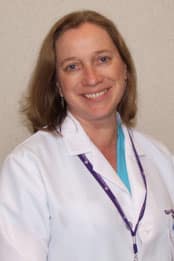
A graduate of the University of Texas Health Science Center at Houston, Kate Williams worked as a Critical Care RN (CCRN) for several years before becoming a Nurse Practitioner in 1994. She works with neurology patients at the Worcester Medical Center and also sees patients monthly at Reliant Medical Group in Leominster. Kate has a strong interest in neurology and enjoys caring for patients with a variety of different neurologic conditions. She enjoys working at Reliant Medical Group because it gives her the opportunity to treat her patients and their families in a holistic manner. Kate enjoys the challenge of caring for people and helping them manage their health problems. She believes strongly that people need to be responsible for their own health and should be active participants in the management of their care. “I think it is important to educate patients as much as possible so they can make the right decisions regarding their health,” she explains. When she is not busy with her patients, Kate enjoys spending time with her husband and two girls.
We use cookies and similar tools to make your use of this website easy and to keep it working properly. We may share data about you and how you use the site with third parties, such as analytics and marketing partners. Learn more in our Privacy Policy and Terms of Use. By continuing to use the site, you agree to this.