
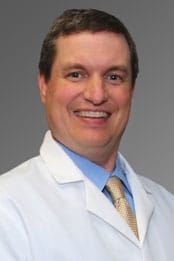
“I love being able to care for women throughout their pregnancy…”
Dr. Timothy Hale originally was going to become an oral surgeon, but an OB-Gyn rotation in medical school changed how he wanted to spend his career. “I became close with one of the doctors teaching in the program and he felt I would make a really good OB-Gyn physician,” he explains. “He helped me realize what a rewarding experience it is to provide obstetric and gynecological care to women.”
Asked what he enjoys the most about his specialty, Dr. Hale explains, “I love being able to care for women throughout their pregnancy and helping them through labor and delivery. I think providing care for women through the full spectrum of their lives and seeing their families grow over time is a great way to spend a career.”
In his practice at Reliant, Dr. Hale looks forward to developing long-term relationships with his patients. “I’ve always taken pride in hoping that there’s a connection beyond just coming to the office and having some tests done. It’s great that patients care enough to share their life experiences with me. As a physician, I think it’s important to connect on a personal level with every patient I see.”
If needed, Dr. Hale can perform many minimally invasive procedures including endometrial ablations, colposcopy, LEEP, Essure, and others. “I enjoy the full scope of OB-Gyn care, including performing minimally invasive procedures, many of which I can do right in the office. There’s a lot of great technology now that our OB-Gyn patients really benefit from.”
Dr. Hale spends most of his free time with his wife and family. He has three children and they are very involved in youth sports. He also enjoys running to stay in shape and he has run a number of marathons and one ultra-marathon. He is also a big sports fan, especially of the New England Patriots.
Offices and Locations
Worcester Medical Center
Phone number: 1 (774) 778-5239
Address: 123 Summer Street, Worcester, MA, 01608
Overview
Specialties
Obstetrics and Gynecology
Certifications
American Board of Obstetrics & Gynecology
Education
Medical Education: Harvard University School of Dental Medicine
Medical Education: SUNY - Stony Brook School of Medicine
Residency: SUNY - Stony Brook University Hospital
Languages Spoken
English
Insurance
Related News and Articles