
Sorry, I'm not currently accepting new patients. Click here to browse a list of doctors who are!
Already a patient of this doctor?
Patients and/or proxies can book annual physicals online through MyChart.
Sign up or
log in now.
“I always felt a lot of empathy toward children.”
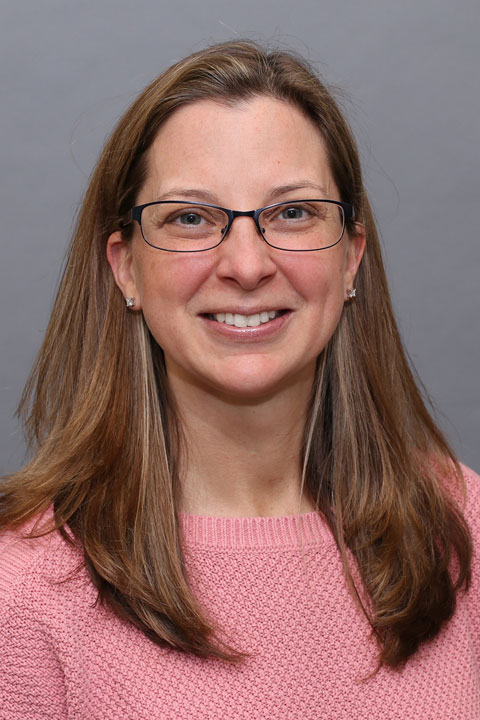
Dr. Brooke Di Anni, the daughter of a pediatrician, has always wanted to work with kids. “Working in my father’s office when I was younger showed me what being a pediatrician would be like, and I knew it would be the right career for me,” she explains. “I always felt a lot of empathy toward children. Kids are innocent and you just want to take care of them the best you can.”
When working with her patients, Dr. Di Anni feels it’s important to carefully address family issues. “When you treat a child, in many ways you are also treating the family. Therefore, it is important to communicate well with them.”
Working at Reliant Medical Group in Auburn, Dr. Di Anni spends a lot of time treating common illnesses such as ear infections, colds, gastrointestinal problems, and asthma and allergies. “I enjoy the challenge of working in the Northeast due to the seasonal variations in illnesses. For example, we see more asthma and allergy symptoms in the spring, and more ear infections, strep throat, and bronchiolitis in the winter. During the summer, we treat more injuries such as lacerations and sprains because children are outdoors and more active.”
Dr. Di Anni started her career at Reliant Medical Group in Pediatric Urgent Care, and now works full-time as a pediatrician in Auburn. “It’s been great working in Auburn. I really enjoy my coworkers and feel very comfortable practicing here. We all work well together as a team.”
Originally from Florida, Dr. Di Anni is enjoying living in New England. During her free time, she likes to read and spend time with her husband and young daughter. She also enjoys her two golden retrievers.
Offices and Locations
Overview
Specialties
Pediatrics
Partnering Provider
Certifications
American Board of Pediatrics
Education
Internship & Residency: Albany Medical Center
Medical Education: Nova Southeastern University College of Osteopathic Medicine
Languages Spoken
English
Insurance
Related News and Articles